
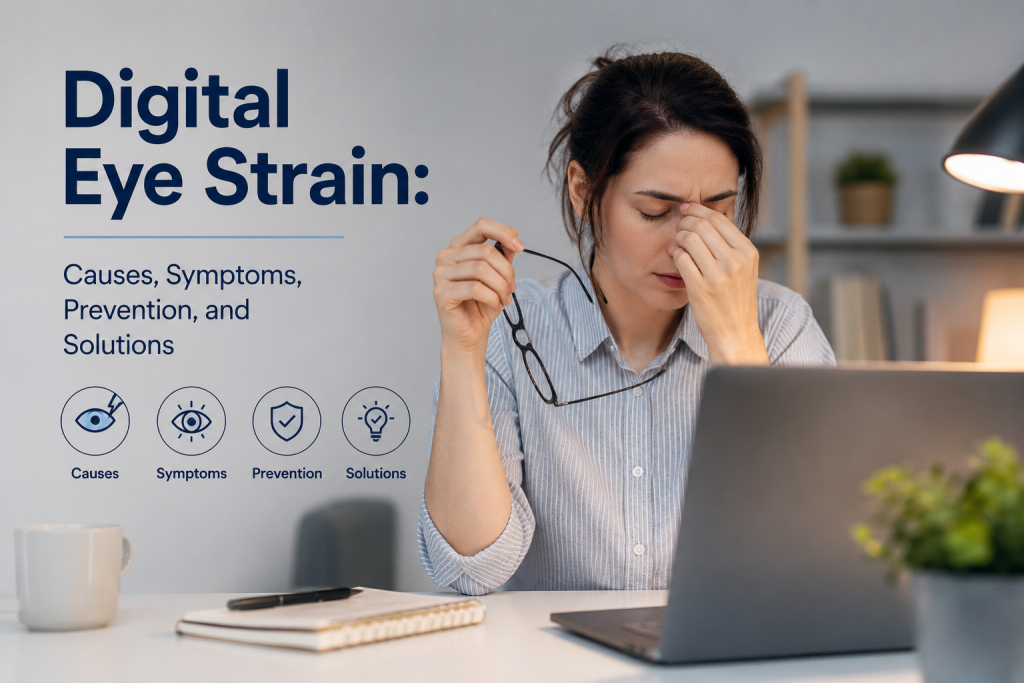
Modern life revolves around screens. Whether you’re working at a computer, studying online, attending virtual meetings, scrolling through social media, gaming, or watching your favorite shows, your eyes may spend many hours each day focused on digital devices.
While screens are an essential part of modern life, prolonged screen use can leave your eyes feeling tired, dry, or uncomfortable. This is commonly referred to as digital eye strain, also known as computer vision syndrome.
The good news is that digital eye strain is usually manageable. Making small changes to your screen habits, workspace, lighting, and daily routine can significantly improve eye comfort and reduce visual fatigue.
What Is Digital Eye Strain?
Digital eye strain describes a group of eye and vision-related symptoms associated with prolonged use of computers, smartphones, tablets, and other digital screens.
Unlike some eye conditions, digital eye strain is generally related to how your eyes are being used rather than permanent damage caused by looking at a screen.
When you stare at a screen for an extended period, your eyes continuously adjust to maintain focus. You may also blink less frequently, deal with screen glare, and remain focused at a relatively short distance for hours at a time.
Together, these factors can cause temporary discomfort and visual fatigue.
Digital eye strain can affect people of all ages, but it is particularly common among office workers, students, gamers, and anyone who spends several hours a day using digital devices.
Common Symptoms of Digital Eye Strain
The symptoms of screen-related eye strain can vary from person to person. Some people experience only mild discomfort, while others may find that symptoms interfere with work, concentration, or productivity.
Common digital eye strain symptoms include:
Dry or irritated eyes
Blurred vision
Tired or aching eyes
Headaches
Difficulty focusing
Watery eyes
Increased sensitivity to light
Burning or stinging sensations
Neck and shoulder discomfort
Temporary difficulty seeing clearly after prolonged screen use
Symptoms often become more noticeable toward the end of a long workday or after several uninterrupted hours of screen use.
If symptoms improve after resting your eyes, digital eye strain may be contributing to the discomfort. However, persistent or severe symptoms should not automatically be attributed to screen use. An eye care professional can determine whether an underlying vision problem may be involved.
Why Do Screens Cause Eye Strain?
Several factors can contribute to screen-related eye fatigue.
Reduced Blinking
One of the biggest contributors to digital eye discomfort is reduced blinking.
When concentrating on a computer or smartphone, people tend to blink less frequently. Blinking is important because it spreads tears across the surface of the eye, helping keep it moist and comfortable.
When you blink less, tears can evaporate more quickly, potentially resulting in dry, gritty, or irritated eyes.
Making a conscious effort to blink regularly can help maintain eye moisture during long periods of screen use.
Prolonged Close-Up Focus
Your eyes are designed to change focus depending on how far away an object is. When you spend hours looking at a computer or phone at a relatively short distance, your focusing system remains engaged for an extended period.
This can contribute to visual fatigue, particularly when combined with small text, poor contrast, or extended periods without breaks.
Screen Glare and Reflections
Reflections from windows, overhead lights, and other surfaces can make screens harder to see. Your eyes may work harder to distinguish text and images against distracting glare.
Reducing reflections and adjusting your screen position can make viewing more comfortable.
Poor Lighting
Using a bright screen in a dark room can create a significant difference between the screen and its surroundings. Similarly, working in very bright conditions can create reflections and glare.
Balanced lighting can help reduce unnecessary visual stress.
Poor Viewing Distance
Holding a smartphone too close or sitting too close to a monitor may increase visual demand. Maintaining a comfortable viewing distance is an important part of good screen ergonomics.
How to Reduce Digital Eye Strain
Fortunately, several simple strategies can help reduce screen eye strain.
1. Follow the 20-20-20 Rule
The 20-20-20 rule is one of the easiest habits to introduce into your daily routine.
Every 20 minutes, look away from your screen and focus on something approximately 20 feet away for at least 20 seconds.
This gives your eyes a short break from continuous close-up focusing and can help reduce visual fatigue.
If you work at a computer for several hours, consider setting a reminder so you don’t forget to take regular visual breaks.
2. Adjust Your Screen Brightness
Your screen brightness should be comfortable relative to the lighting in the room.
If your display looks extremely bright compared with your surroundings, reduce the brightness. If the screen appears unusually dark and difficult to read, increase it.
The goal is to avoid making your eyes constantly adapt between extreme differences in brightness.
3. Increase Text Size
Small text can make your eyes work harder, especially when you’re reading for long periods.
Instead of leaning closer to the screen, increase the font size or display scaling. This simple adjustment can make reading more comfortable without changing your workflow.
4. Maintain a Comfortable Viewing Distance
Keep your computer monitor approximately an arm’s length away from your eyes.
Your monitor should generally be positioned so that you can view the screen comfortably without leaning forward or straining your neck.
For smartphones and tablets, avoid holding the device unnecessarily close to your face.
5. Improve Your Workspace Lighting
Use comfortable, even lighting when working or studying.
Avoid positioning your monitor directly in front of a bright window, as reflections can create glare. If possible, position the screen so that windows and strong light sources are not directly reflected on the display.
6. Remember to Blink
It sounds simple, but consciously blinking more often can help reduce dryness during screen use.
If your eyes frequently feel dry or irritated, an eye care professional can also advise you about suitable lubricating eye drops or other treatments.
7. Take Regular Physical Breaks
Eye health isn’t the only reason to take breaks from your computer.
Long periods of sitting can contribute to neck, shoulder, and back discomfort. Stand up, walk around, stretch your shoulders, and look into the distance during longer breaks.
A short break can refresh both your eyes and your body.
Can Blue Light Cause Digital Eye Strain?
Blue light from digital screens has received considerable attention in recent years. Some people find that reducing screen exposure in the evening or using warmer display settings makes screen use more comfortable.
However, digital eye strain is not simply a blue-light problem. Factors such as prolonged close-up focusing, reduced blinking, glare, screen brightness, viewing distance, and insufficient breaks can all contribute to discomfort.
Rather than relying solely on blue-light-blocking glasses or filters, focus first on good screen habits and proper workstation setup.
Can an Online Vision Test Help?
Regular online vision checks can be a useful way to monitor aspects of your visual performance between professional eye examinations.
If your eyesight has changed, an online vision test may help you recognize that you should arrange a comprehensive eye examination.
For example, if you notice increasing difficulty reading text or seeing distant objects clearly, monitoring your visual acuity can provide useful information about potential changes.
However, an online vision test should not be considered a replacement for a comprehensive eye examination. Professional eye care is important for assessing the overall health of your eyes and identifying conditions that may not affect visual acuity in the early stages.
When Should You See an Eye Care Professional?
Occasional tired eyes after a long day of screen use are common. However, persistent or unusual symptoms should not simply be blamed on digital devices.
Consider arranging an eye examination if you experience ongoing:
Blurred vision
Eye pain
Frequent headaches
Double vision
Significant dryness or irritation
Difficulty focusing
Changes in peripheral vision
Flashes of light or a sudden increase in floaters
Sudden changes in vision require prompt professional assessment.
An eye examination can also determine whether an uncorrected prescription, dry eye condition, or another eye problem is contributing to your symptoms.
Final Thoughts
Digital eye strain is common, but it is often manageable. As screen use becomes an increasingly important part of work, education, and entertainment, developing healthier digital habits can make a significant difference to everyday comfort.
Follow the 20-20-20 rule, take regular breaks, blink frequently, adjust your screen brightness, increase text size, maintain a comfortable viewing distance, and ensure your workspace has appropriate lighting.
Regular vision monitoring can also help you stay aware of changes in your eyesight. An online vision test can be a convenient first step, while comprehensive eye examinations remain essential for assessing your overall eye health.
Your screens aren’t going away — and neither should your commitment to healthy vision. A few small changes to your daily routine can help your eyes stay comfortable and your productivity remain strong in an increasingly digital world.